


IP Cameras vs. Analog: Which Is Right for Your Business?
January 5, 2026
The Complete Guide to Access Control Systems for Small Businesses
February 10, 2026
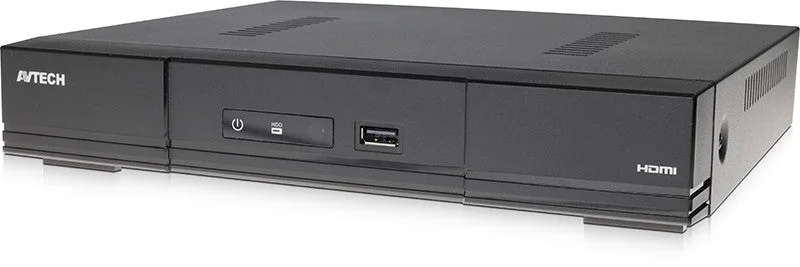
A Network Video Recorder is the backbone of any modern IP surveillance system. It stores your footage, manages your cameras, and provides the interface for playback and remote access. Selecting the right NVR ensures your system performs reliably and scales with your business as it grows.
Determine Your Channel Count and Storage Needs
The first step is calculating how many cameras your property requires, both now and in the near future. NVRs are available in configurations ranging from 4 channels to 64 channels or more. We recommend choosing a unit with at least 25 percent more channels than your current camera count to allow for expansion. Storage capacity depends on resolution, frame rate, compression codec, and how many days of footage you want to retain. A typical 16-camera system recording at 4MP with H.265 compression requires approximately 8TB of storage for 30 days of continuous recording.
Key Features to Look For
Not all NVRs are created equal. When comparing models, pay close attention to these features: PoE built-in ports for simplified installation, H.265 or H.265+ compression for efficient storage, HDMI and VGA outputs for local monitoring, ONVIF compatibility for cross-brand camera support, and mobile app access for remote viewing. Higher-end units also offer RAID support for drive redundancy, AI-powered search, and integration with access control systems. Check our product selection for NVR systems that include these features.
Consider Your Network Infrastructure
NVRs with built-in PoE switches simplify deployment because each camera connects directly to the recorder with a single Ethernet cable. For larger installations across multiple buildings, you may need external PoE switches and a properly configured network with VLANs to separate surveillance traffic from business data. Bandwidth planning is critical since each 4MP camera stream consumes approximately 6 to 8 Mbps. Work with your IT team or a qualified integrator to ensure your network can handle the load without impacting other operations.
Installation and Ongoing Maintenance
Proper NVR placement matters. Install the unit in a secure, climate-controlled room with adequate ventilation. Use an uninterruptible power supply to protect against outages. Schedule regular firmware updates to patch vulnerabilities and maintain system stability. Monitor hard drive health using the built-in SMART diagnostics and plan for drive replacements every three to five years. For questions about selecting and deploying the right NVR for your property, visit our FAQ page or contact our team directly.